

What you can do:
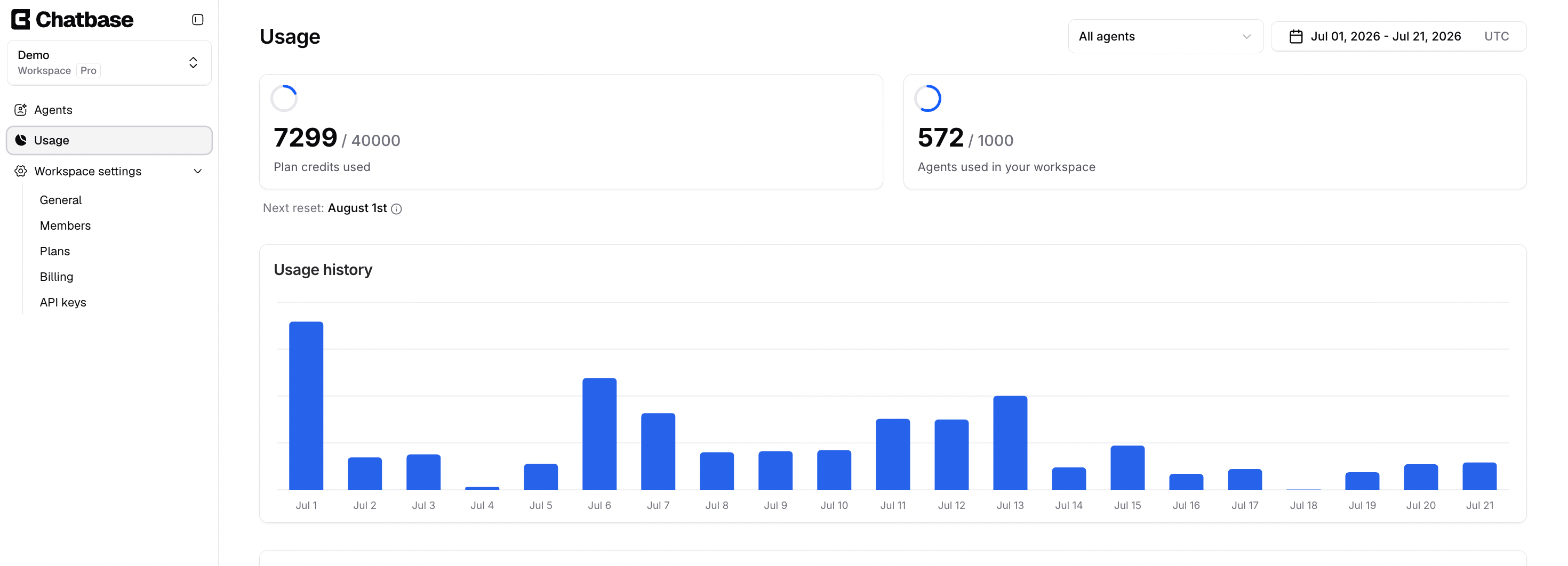
See where your message credits are going, which AI agent is consuming them, and how consumption is trending day by day.
Configuration
AI agents
You can view usage for all your AI agents, a specific AI agent, or deleted AI agents, which lets you check the credits used by AI agents you’ve since removed. Use the All agents dropdown at the top of the page to switch between them.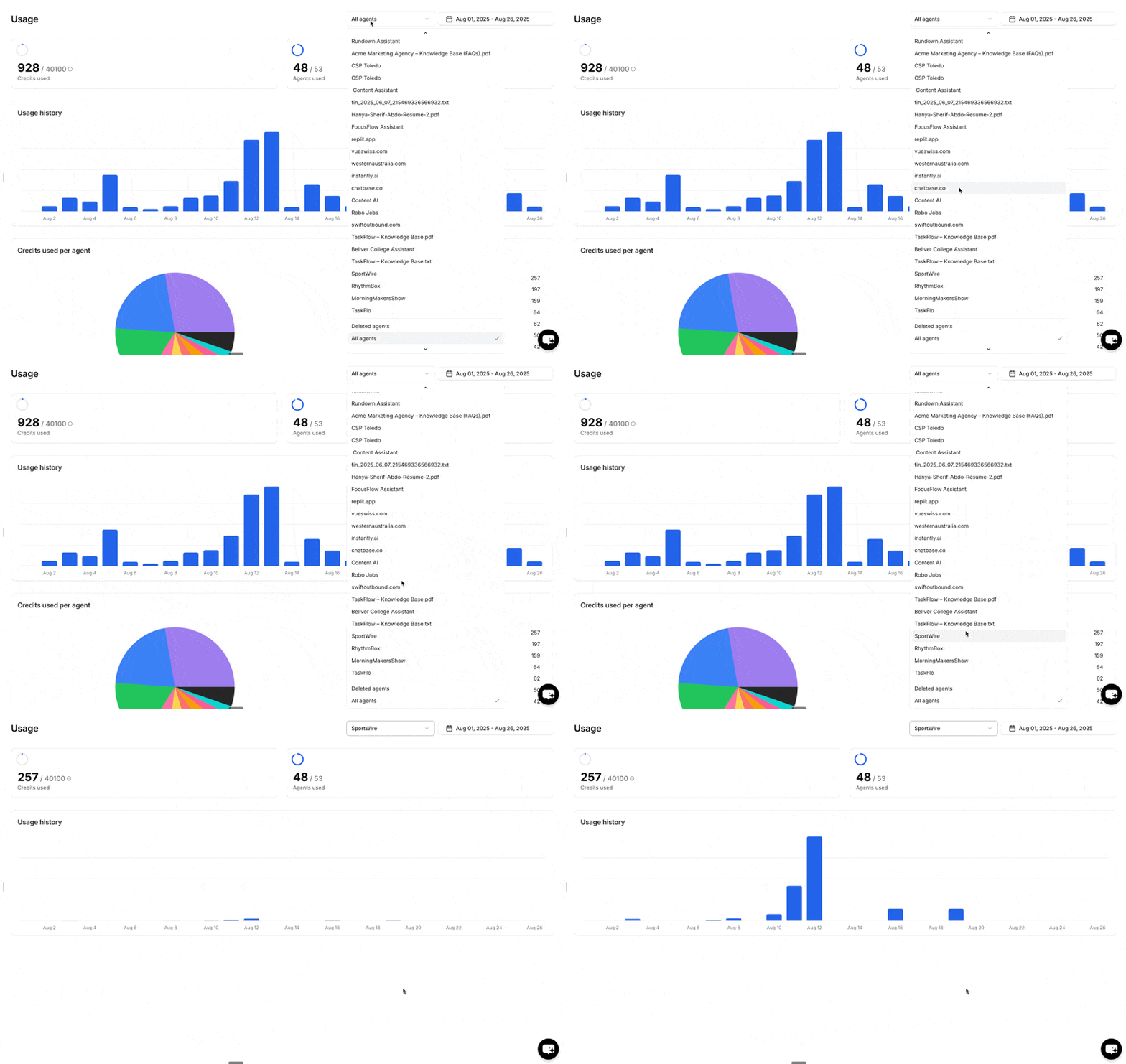
Time interval
You can configure the time interval to view usage for a specific period, such as last week. The selected interval is highlighted in blue.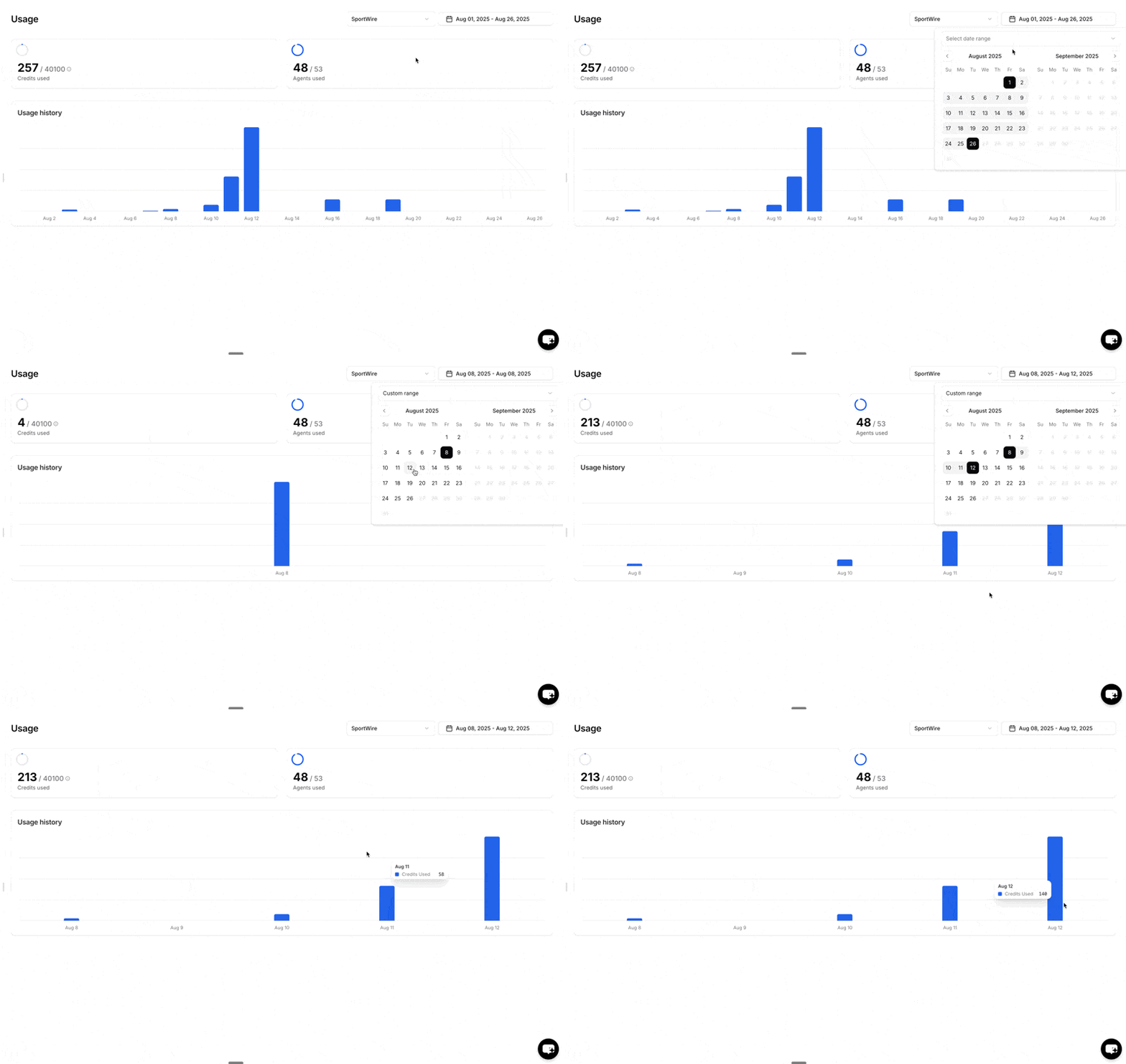
Usage summary
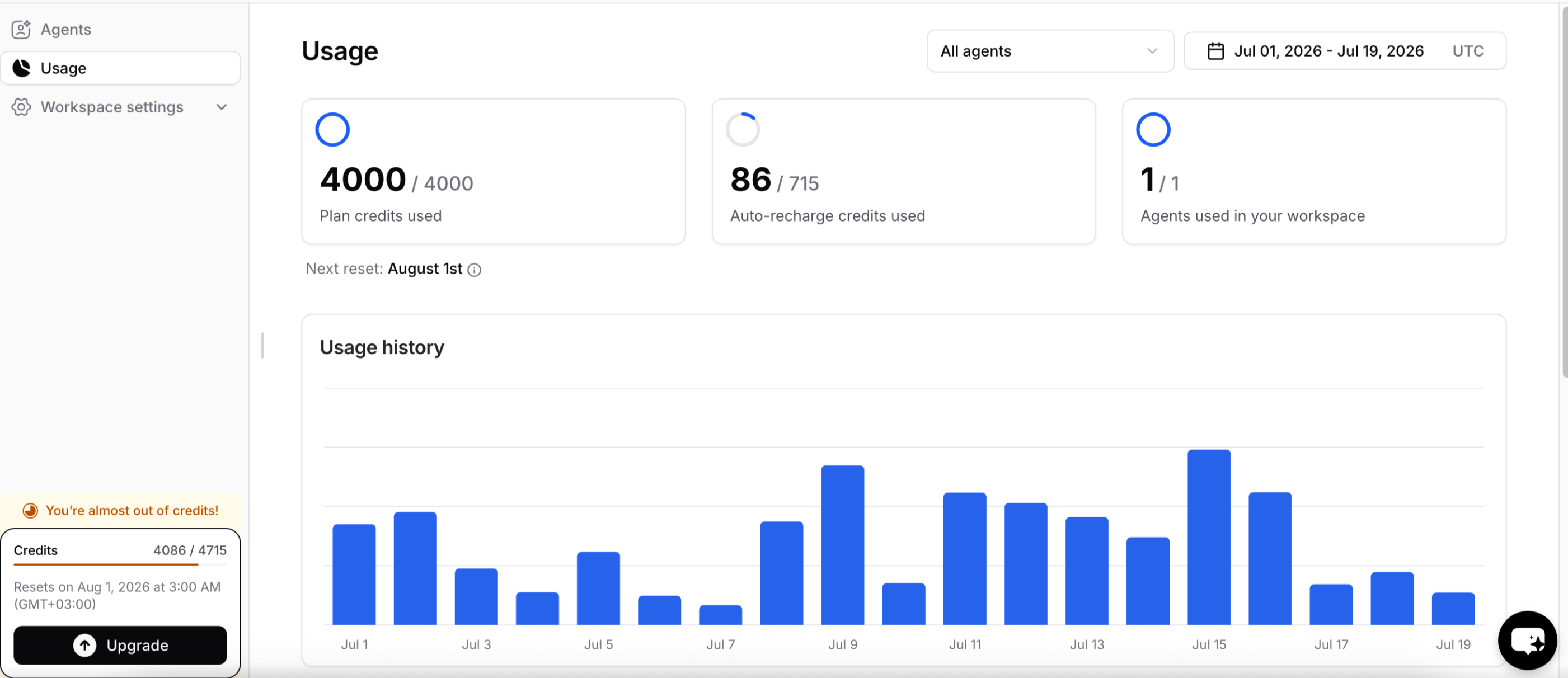
This section summarizes the credits used and the number of AI agents used within the time interval you specified.Credits used
The cards at the top show credits split by where they came from, not by feature or channel:- Default view (the 1st of the month to today, all AI agents): Plan credits used and, if the workspace has any, Auto-recharge credits used.
- Any other date range or a single AI agent: one card, Total credits used during the selected period.
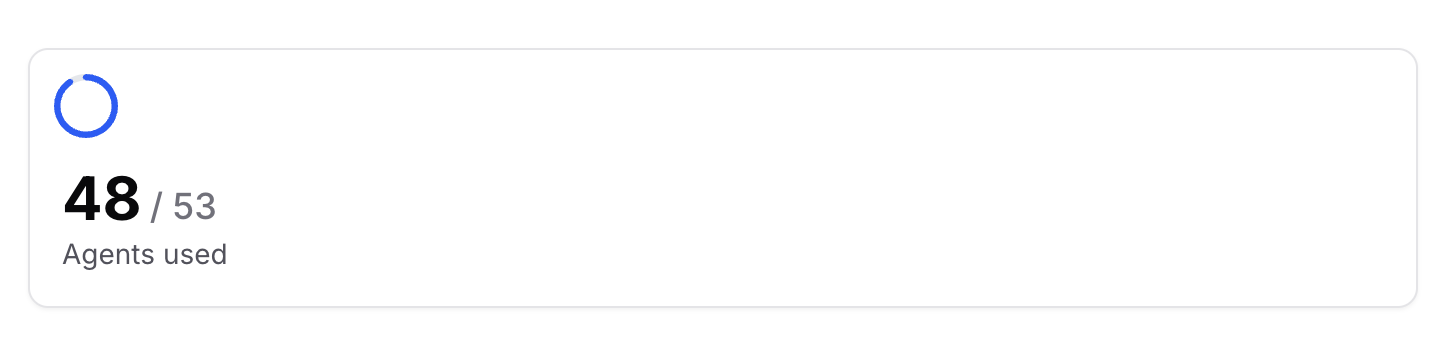
AI agents used
The number of AI agents in your workspace compared to the total allowed. For example, a workspace might have 4 AI agents out of 60.- Deleted AI agents aren’t counted. The count is the AI agents that exist now, so deleting one frees its slot right away.
- The maximum is a real limit. It’s your plan’s AI agent limit plus any Extra AI agents add-on. It’s checked when you create, duplicate, or remix an AI agent.
Usage history
The number of message credits used per day for the selected time interval. Hover over a bar to see the exact credits used on that day.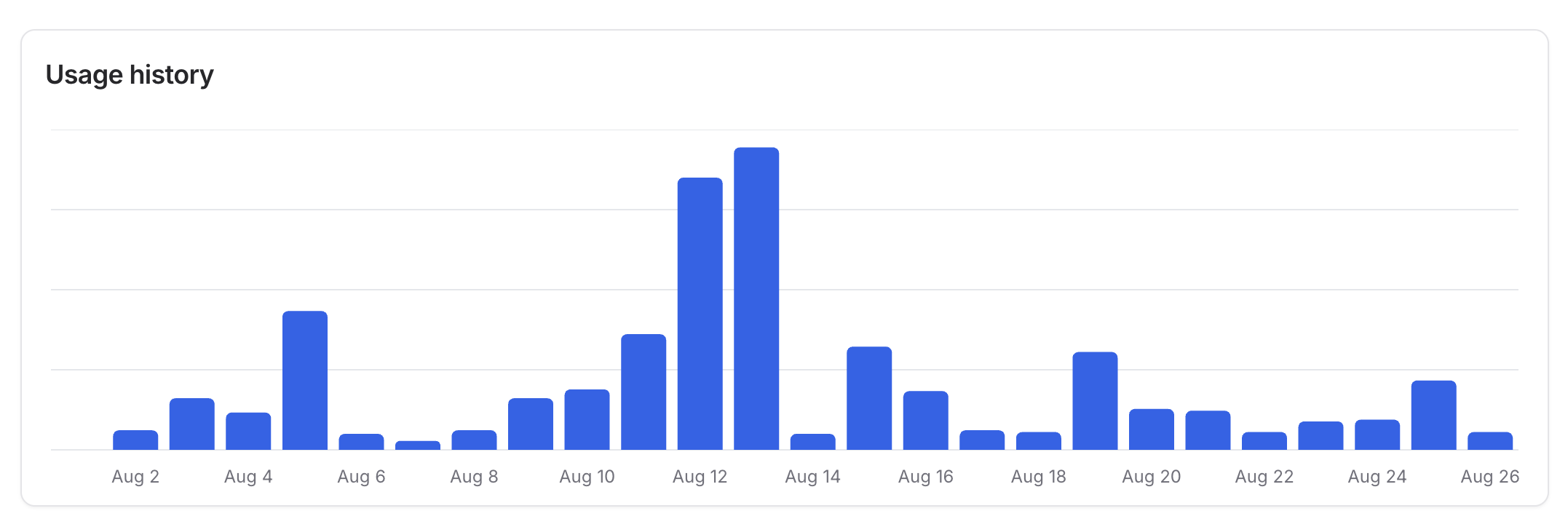
Credits used per AI agent
Compares credit usage across AI agents for the selected time interval. Hover over any segment of the pie chart to see the exact number of credits used by that AI agent. Credits used by AI agents you’ve since deleted are grouped under Deleted agents.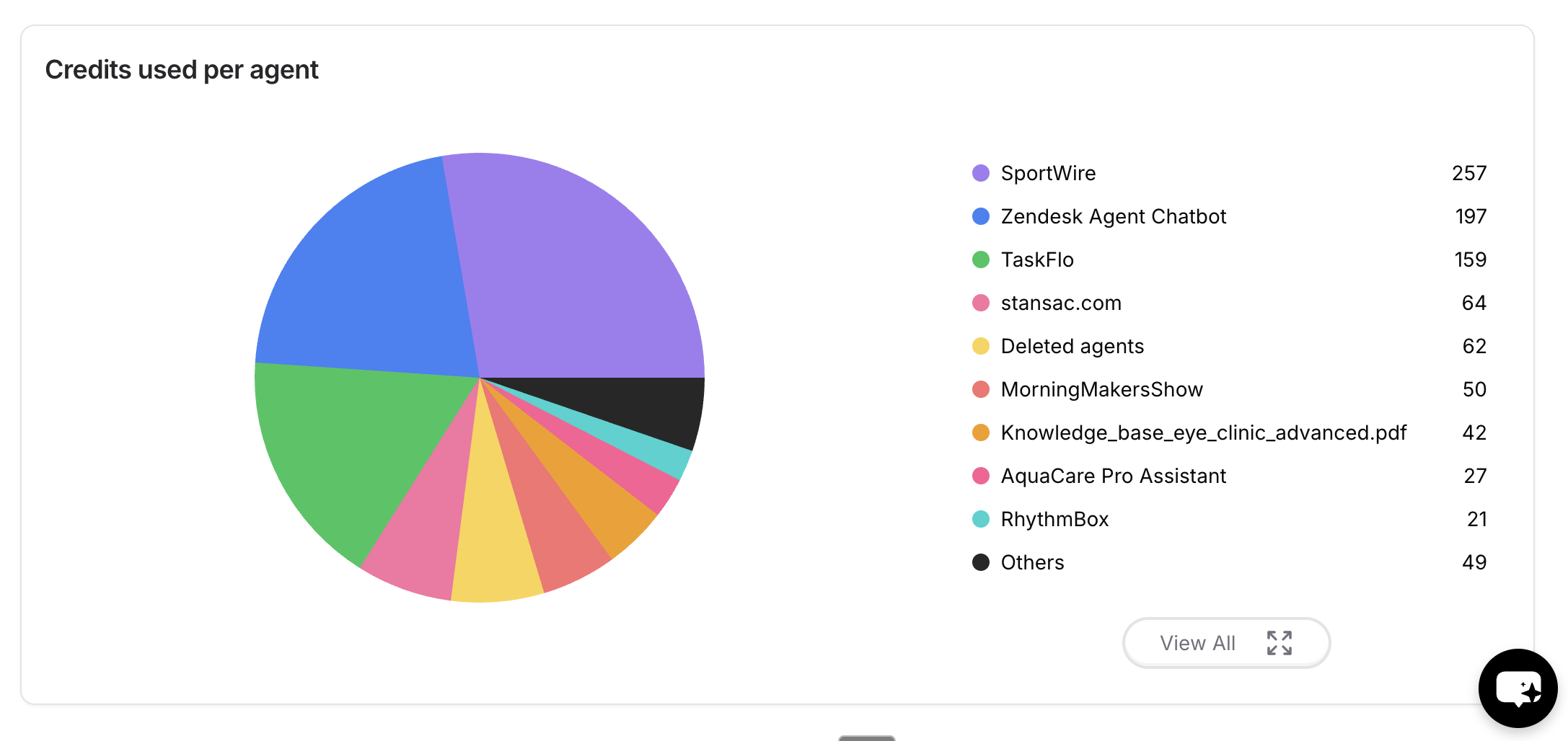
What uses message credits
Only these use message credits:
These don’t use message credits: translation, AI Compose, takeover and close summaries, Linear drafts, spam checks, topic and sentiment analysis, knowledge gaps, and campaign sends. Backstage has its own daily message limit instead of using credits.
When credits reset
Plan credits reset at 00:00 UTC on the 1st of every calendar month, for every workspace, whatever your billing date. The Usage page says: “Your plan credits reset at the start of every calendar month.”- Unused plan credits don’t roll over. The used count goes back to zero on the 1st.
- Annual plans reset monthly too. Plan credits are a monthly amount, so a yearly subscription gets its credits month by month, resetting on the 1st.
- Auto-recharge credits don’t expire. They aren’t reset on the 1st and carry over until used.
- Plan credits are used first. Auto-recharge credits are only used once you’ve used all of the month’s plan credits.
Getting more credits
- Auto recharge buys credits automatically when your balance drops below a threshold you set. See Auto recharge credits.
- Upgrade your plan for a higher monthly allowance. See Plans.
- Enterprise workspaces contact their success manager to buy more credits.
Workspaces billed per conversation
Workspaces with the Enterprise Conversations add-on are billed per conversation instead of per credit. On these workspaces, the Usage page shows conversation counts instead of credits.- What counts: every conversation created in the period, except Playground, Action preview, and Q&A preview conversations.
- When a conversation ends: after it has been idle for a set time. A message after that point is likely to start a new conversation, which is counted separately.
Usage alert
Get an email when your workspace has used a set share of its message credits, so you can upgrade or buy more before your AI agents stop responding. To set it up:- Turn on the Usage alert toggle.
- Enter a percentage under Send an email when message credits used reach. The number of credits that percentage equals is shown next to it, for example
(25 / 50 credits). - Under Recipients, add the email addresses that should get the alert.
- Click Save.
When your message credits run out, your AI agents stop responding until the credits reset.
When the alert is sent
The alert is sent once per calendar month, when usage first reaches your threshold. It resets on the 1st of each month at 00:00 UTC, the same time as your plan credits, whatever your billing date. If your credit limit goes up during the month (for example, after you add credits), the alert can be sent once more when usage reaches the new threshold.When usage alerts aren’t available
- Auto recharge is on. Auto recharge tops up your credits automatically, so you won’t run out and no alert is needed. The Usage alert card is hidden while auto recharge is on.
- Your workspace is billed per conversation. Usage alerts apply only to credit-based billing.
Turning auto recharge off doesn’t remove extra credits you already have. Those credits still appear on the Usage page and still count toward your alert threshold.
Frequently asked questions
When do my Chatbase message credits reset?
When do my Chatbase message credits reset?
At 00:00 UTC on the 1st of every calendar month, for every workspace. Your billing date and whether you pay monthly or yearly don’t change this.
Do unused message credits roll over?
Do unused message credits roll over?
Plan credits don’t roll over: the used count resets on the 1st. Auto-recharge credits don’t expire and carry over until used.
Do translation, summaries, or topic and sentiment analysis use credits?
Do translation, summaries, or topic and sentiment analysis use credits?
No. Credits are only used for AI agent replies (plus attachments), Helpdesk AI draft replies, @Chatbase in Slack, voice calls, and Tests after the monthly test pool runs out. Backstage has its own daily message limit.
Why does the Usage page show only total credits used?
Why does the Usage page show only total credits used?
The Plan credits used and Auto-recharge credits used cards only appear in the default view (this month, all AI agents). Pick another date range or a single AI agent and you see one Total credits used during the selected period card.
Do deleted AI agents count toward my AI agent limit?
Do deleted AI agents count toward my AI agent limit?
No. Only AI agents that exist now count, so deleting one frees a slot immediately. Their past credit use still shows under Deleted agents.
Next steps
Models Comparison
Credit cost varies by model. See what each tier costs per message.
Workspace settings
Manage your plan and set up auto recharge.
Analytics
See conversation volume behind the credits you’re spending.
Manage
Create workspaces and control who can change what.