

What you can do:
Give your whole workspace an AI teammate: mention it in any channel and it answers right there, in the thread, without anyone leaving Slack.
Attachments are supported: the AI agent reads JPEG, PNG, and PDF files up to 5 MB and transcribes audio files. See Attachments and audio.
This page covers deploying your AI agent into Slack so people can talk to it. For other ways to use Slack with Chatbase:
- To have your AI agent notify a Slack channel when a customer mentions a topic, use the Slack notification Action.
- To reply to Helpdesk tickets from Slack, see Slack Ticket Threads.
- To post a Slack message when a Helpdesk ticket matches a trigger, use the Send Slack message trigger action.
Before you start
- A Chatbase account with an AI agent, on a paid plan. Without one, the Slack channel shows Upgrade to enable. If you haven’t built an AI agent yet, create a Chatbase account, subscribe to a plan, and follow Your first AI agent.
- A Slack workspace you can install apps into.
- A workspace that isn’t HIPAA-compliant. Slack is “Not available on HIPAA-compliant accounts.”
How to connect Slack
You can start the connection from either of two places. Both run the same Slack authorization:- Integrations: the Slack card (“Manage your Slack conversations.”) has a Connect button, which shows Connected afterwards.
- Channels: the Slack card shows Setup, and Manage once connected.
1
Open your Chatbase AI agent
Head to your dashboard and click the AI agent you wish to integrate with Slack.
2
Connect Slack
Click Integrations in the left sidebar, then click Connect under the Slack card. A Slack window opens asking you to authorize Chatbase. Choose the workspace, review the permissions, and click Allow.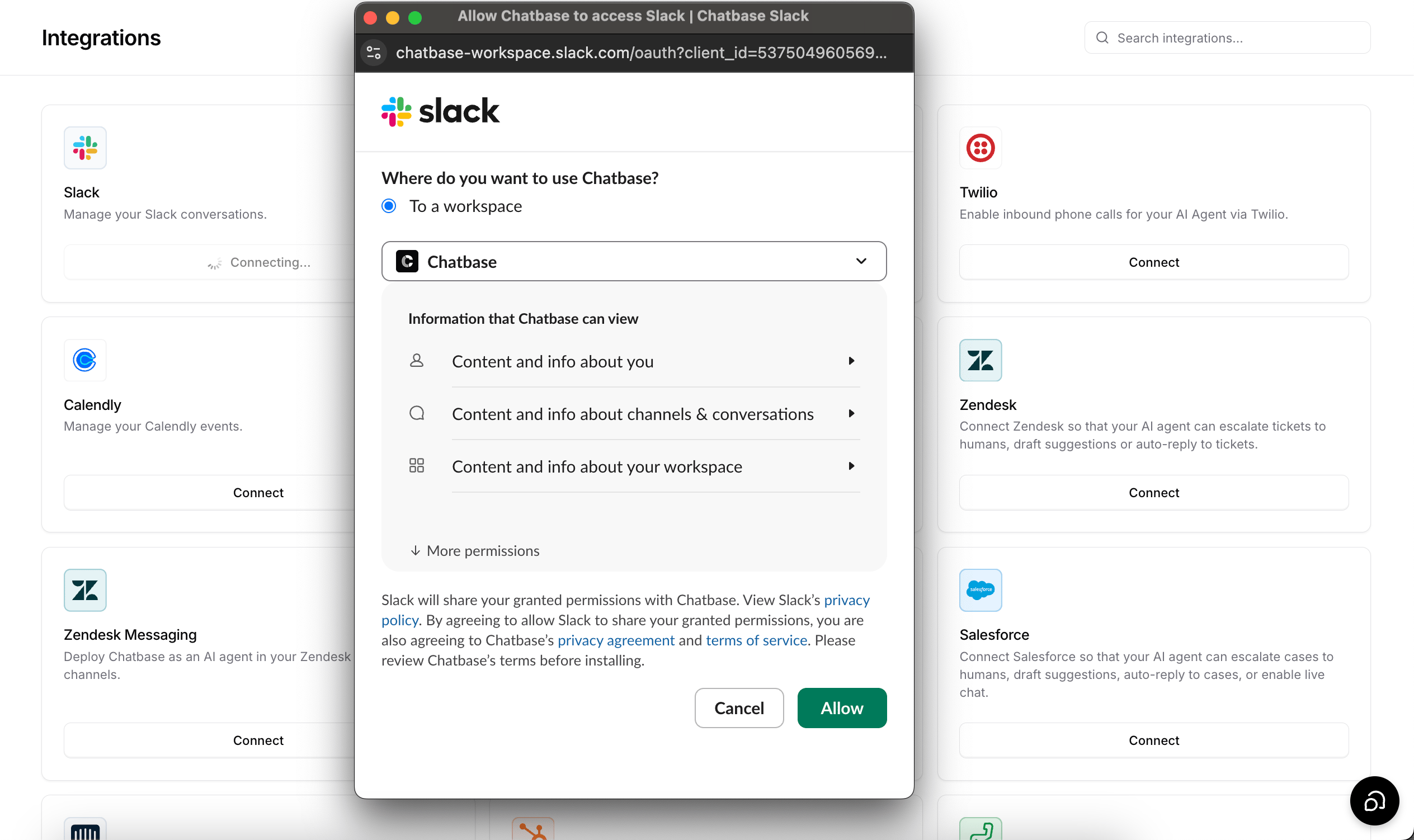
3
Open your Slack workspace
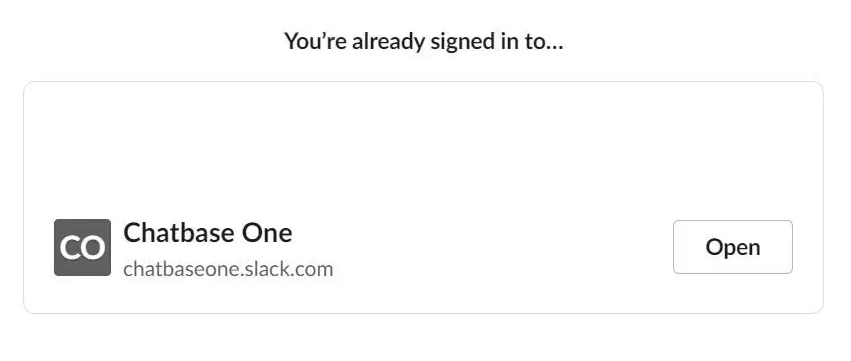
If all goes well, you’ll see a message saying Chatbase has been successfully added to your workspace.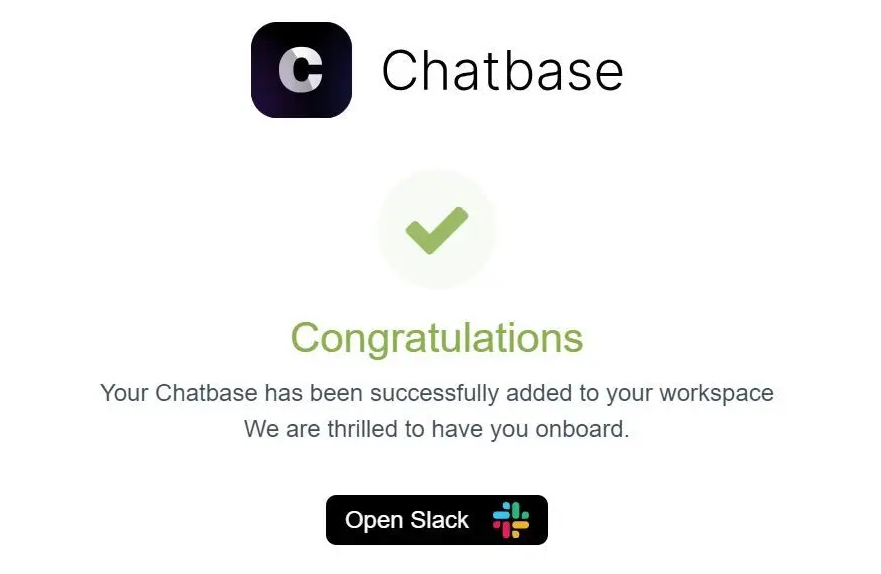
4
Invite the AI agent to a channel
Open any channel in your workspace and type @chatbase followed by a question related to your AI agent’s purpose. Slack will prompt you to invite the AI agent to the channel.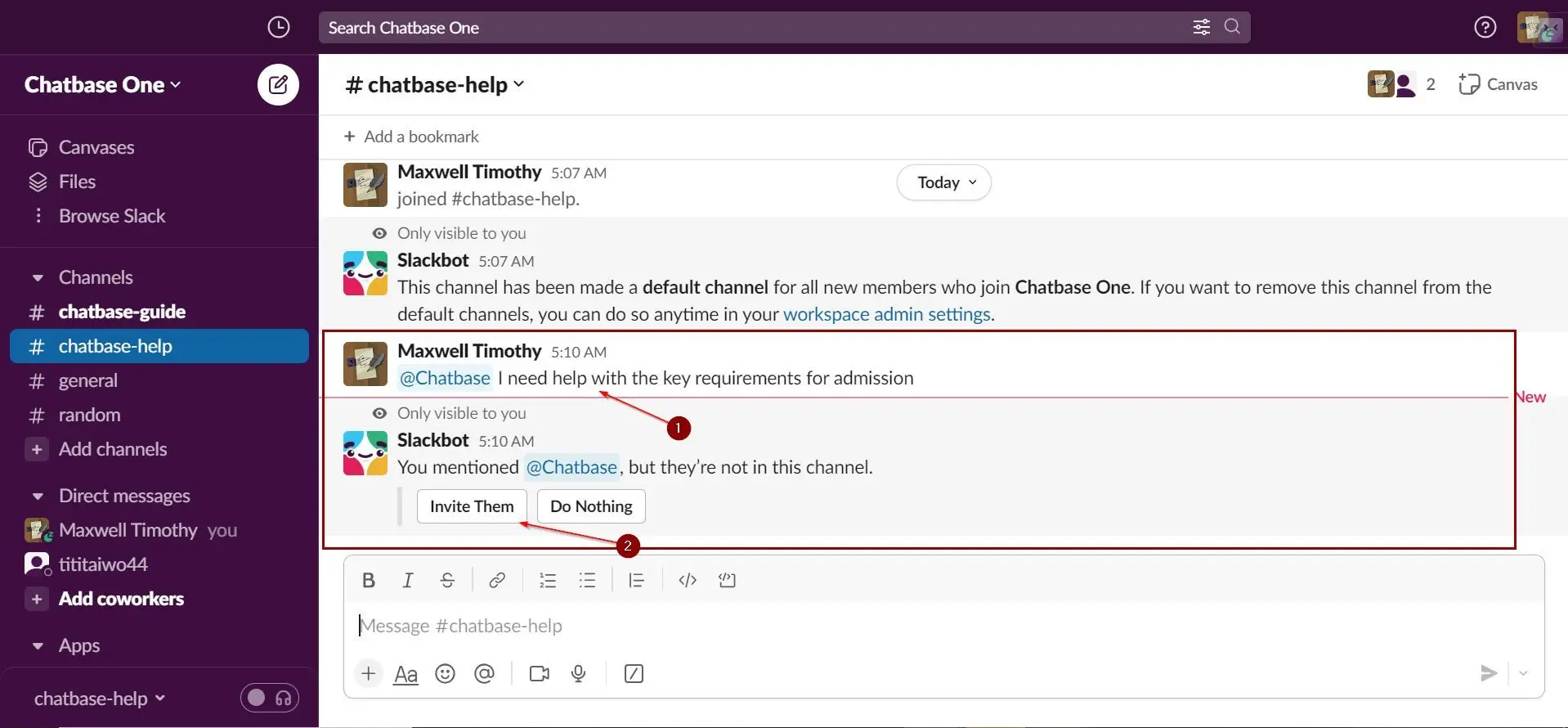
Type @chatbase followed by a question in the channel and confirm your AI agent responds.
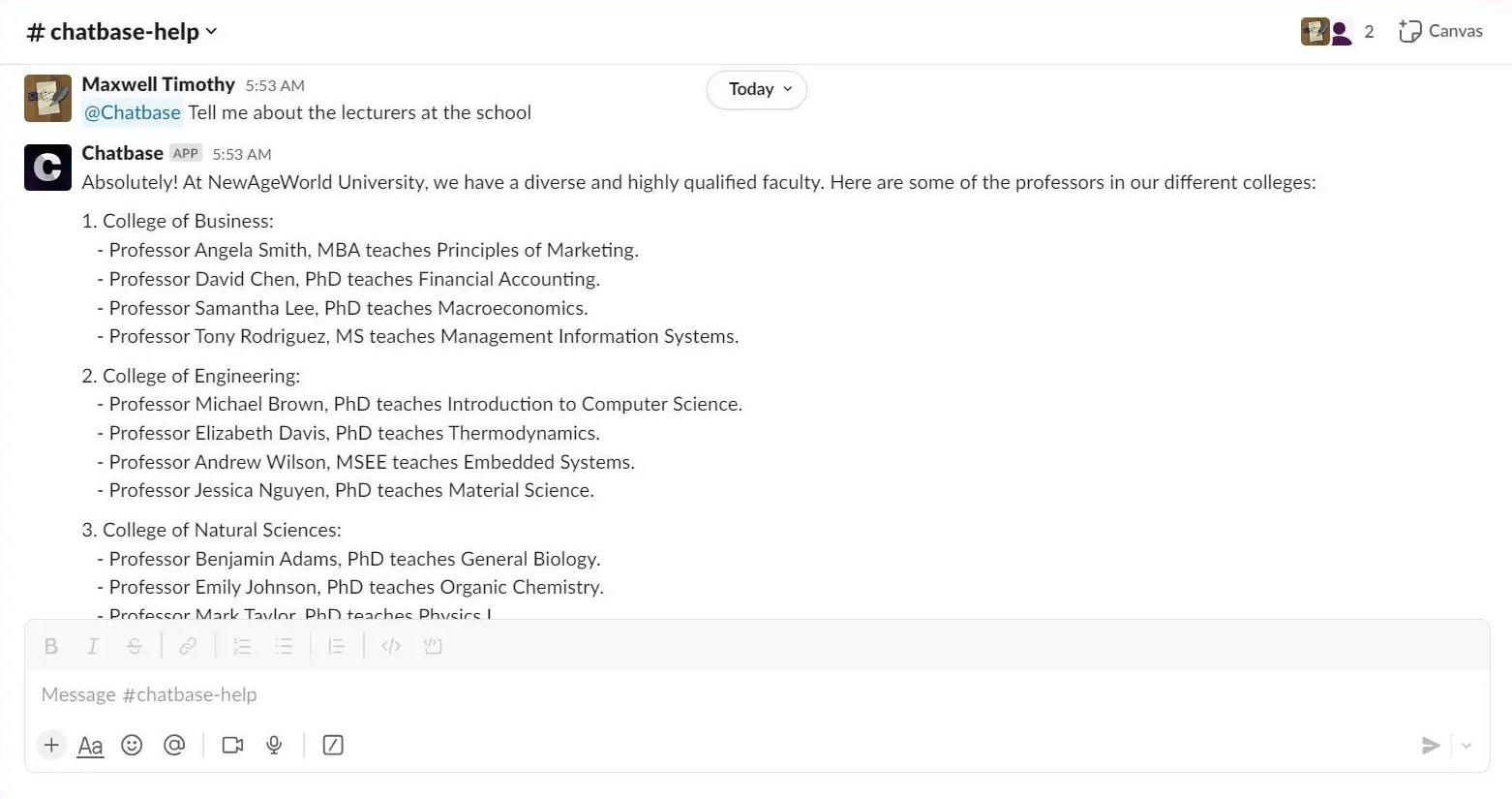
How the AI agent works in Slack
- It answers @mentions only. The AI agent replies when a message mentions the Chatbase app. It doesn’t answer other channel messages, and it doesn’t answer direct messages sent to the app.
- It replies in the thread. When you mention it, the AI agent first posts a “Thinking…” placeholder, then posts the answer. If it’s mentioned inside a thread, it replies in that thread rather than the main channel.
- Each thread is one conversation. Earlier turns in the same thread are part of the conversation history, so you can ask follow-up questions.
- It reads the thread for context. On each mention, the AI agent reads the thread replies posted since its last reply (or all earlier replies, the first time it’s mentioned), skips messages from bots, and adds them with their authors’ names ahead of your question. Messages in the channel outside the thread aren’t read.
- Conversations appear in Activity. Slack conversations are logged in your AI agent’s Activity like any other channel, with Slack as the source.
Attachments and audio
Files attached to the message that mentions the AI agent, and to earlier messages in the thread, are handled like this:
Attachments use extra message credits. See Attachments.
Message credits
Each reply in Slack uses message credits at your AI agent’s model cost, the same as a reply on any other channel. Attachments add credits per image or per PDF page.Settings
The Slack channel page (Channels → Slack → Manage) has these tabs: Overview, Connections, Actions, and Extra Settings.Message appearance
Replies sent by your AI agent in Slack use the AI agent name and avatar configured in your Chat Bubble settings. If a custom name and avatar are set there, those are reflected in Slack. If not, the defaults are used:- Name: Chatbase
- Avatar: Chatbase logo

A custom display name changes only how replies look. It doesn’t change the name people type to @mention the AI agent. To change that, see Mention name.
Mention name
By default, people type @chatbase to mention your AI agent. You can change that name, for example to @emma, but only from Slack. Slack stores the name in your workspace, and Chatbase has no setting for it.1
Open Manage apps in Slack
Click your workspace name in the Slack sidebar, then Tools & settings, then Manage apps.
2
Open the Chatbase app
Select Installed Apps, find Chatbase, and click App Details.
3
Rename the bot user
Open the Configuration tab, find Bot user, edit the name, and save.
Ignore bot messages
Under Channels → Slack → Manage → Extra Settings, tick Ignore bots (“Ignore mentions posted by any bot or app”). When enabled, your AI agent ignores mentions posted by other Slack bots and apps and only responds to people. This is useful if your workspace contains automation bots or AI agents that post messages, since it prevents bot-to-bot loops.Limitations
- One workspace per AI agent, and one AI agent per workspace. The dashboard notes “Your chatbot can be connected to one Slack workspace.” Connecting a Slack workspace that’s already linked to another AI agent fails with “Workspace already connected”.
- No direct messages. The AI agent answers only when mentioned in a channel or thread.
- Not available on HIPAA-compliant workspaces. Mentions to an AI agent on a HIPAA workspace are ignored.
Troubleshooting
The AI agent doesn't reply in a channel
The AI agent doesn't reply in a channel
Check that the app is a member of the channel (mention it and click Invite Them when Slack asks), that your message @mentions the Chatbase app, and that your workspace has a paid plan. If Ignore bots is on, mentions posted by bots or apps are ignored.
The AI agent doesn't reply to direct messages
The AI agent doesn't reply to direct messages
That’s expected. The Slack integration answers @mentions in channels and threads only.
Connecting fails with "Workspace already connected"
Connecting fails with "Workspace already connected"
That Slack workspace is already connected to another AI agent. Each workspace can connect to one AI agent. Use the AI agent it is already connected to, or connect a different workspace.
The AI agent ignored a file
The AI agent ignored a file
Only JPEG, PNG, and PDF files up to 5 MB, and audio files, are processed. Other file types, and larger images or PDFs, are skipped.
Backstage
Slack is one of the ways you can interact with Backstage, Chatbase’s AI assistant for managing your AI agent. See the Backstage documentation to learn more.Frequently asked questions
Which Chatbase plan do I need for Slack?
Which Chatbase plan do I need for Slack?
Any paid plan. Without one, the Slack channel shows Upgrade to enable. Slack isn’t available on HIPAA-compliant workspaces.
Does @Chatbase in Slack use message credits?
Does @Chatbase in Slack use message credits?
Yes. Each reply uses message credits at your AI agent’s model cost, like any other channel, and attachments add credits. Slack conversations also appear in your AI agent’s Activity.
Can I mention the AI agent by a name other than @chatbase?
Can I mention the AI agent by a name other than @chatbase?
Yes. Rename the Chatbase bot user from Manage apps in your Slack workspace. See Mention name.
Can I connect several AI agents to one Slack workspace?
Can I connect several AI agents to one Slack workspace?
No. A Slack workspace connects to one AI agent, and an AI agent connects to one Slack workspace.
Does the AI agent work in private channels?
Does the AI agent work in private channels?
Yes. Invite the app to the private channel, then @mention it.
Can the AI agent read the rest of the thread?
Can the AI agent read the rest of the thread?
Yes. When mentioned in a thread, it reads the replies in that thread (skipping bot messages) and uses them as context. It doesn’t read channel messages outside the thread.
Can I send files to the AI agent in Slack?
Can I send files to the AI agent in Slack?
Yes. Attach JPEG, PNG, or PDF files up to 5 MB, or audio files, to your message. Images and PDFs are read by the AI model, and audio is transcribed to text. Other file types are skipped.
Next steps
Slack notification Action
Have your AI agent post to a Slack channel when a customer mentions a topic you care about.
Backstage
Manage your AI agent conversationally, from Slack.