

What you can do:
Let the AI resolve routine questions on its own, and hand off to Intercom the moment a case needs a person, with the full context already attached.
Before you start
- A Chatbase account on the Basic plan or higher.
- A Chatbase AI agent. The connection is per AI agent, and each AI agent can connect one Intercom workspace.
- An Intercom workspace hosted in the US region that you can authorize access for, with Intercom Tickets available. Workspaces hosted in the EU or Australia aren’t supported.
How to connect Intercom
1
Open your Chatbase AI agent
Log in to your Chatbase dashboard and select the AI agent you want to connect.
2
Connect Intercom
Choose Integrations, then connect your Intercom account to authorize access.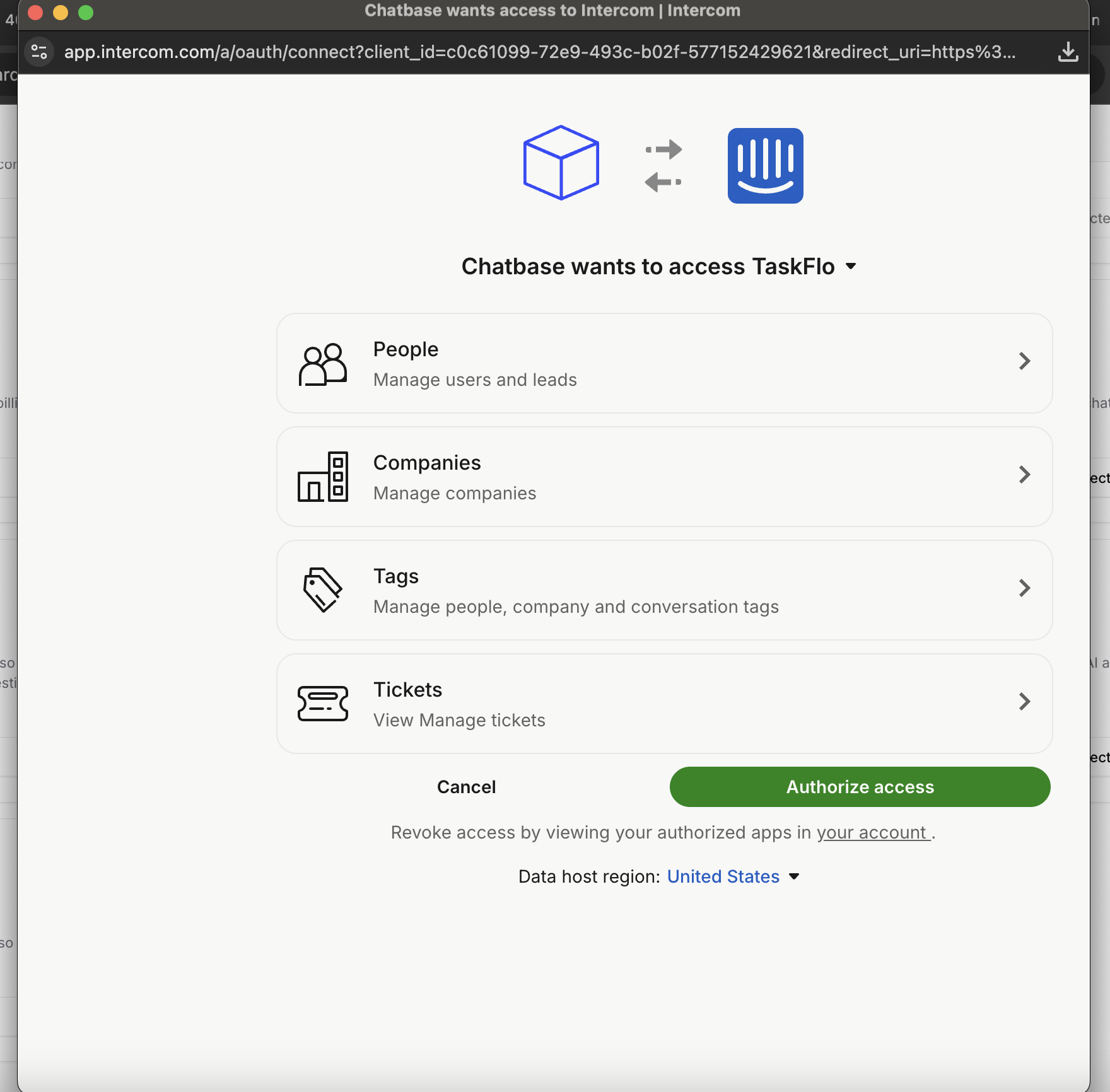
3
Create the Escalations Action
Go to Build > Actions > Create Action, select Create ticket under Escalations, and choose Intercom as the Ticket Platform. Intercom has no extra options on the Action. Follow the Escalations Action guide for the rest of the setup.
Test the integration by asking your AI agent to speak to a human, and confirm a ticket appears in Intercom with the conversation summary attached.
What the ticket contains
Chatbase creates an Intercom Ticket, not a Conversation. Each ticket has:- Ticket type: Chatbase Support.
- Title: written by the AI agent from the customer’s issue. The customer is never asked for it.
- Description: an AI-written summary of the conversation, in the customer’s language.
- Contact: the customer’s email. The AI agent asks for a name too, but only the email is sent to Intercom.
- Note: an internal note with a link to the full conversation in Chatbase, added right after the ticket is created.
Example
The following exchange is illustrative. A customer on the Chat Bubble writes “I can’t log in after resetting my password, can a person help?” The AI agent asks for an email and name, the customer replies “Jane Doe, jane@example.com”, and Intercom receives a Chatbase Support ticket with:- Title: Unable to log in after password reset
- Description: The customer reset their password but still can’t log in and asks for help from the support team.
- Contact: jane@example.com
- An internal note with the link to the conversation in Chatbase
What the customer sees
The AI agent asks for the customer’s email and name if it doesn’t already have them, creates the ticket, and tells the customer the ticket number. On the Chat Bubble, Help Page, and Center Stage, a Ticket Created card also shows the ticket number. If creation fails, the card reads Failed to create ticket. Your team works the ticket in Intercom. Nothing syncs back to the Chatbase conversation, and the AI agent keeps answering in the chat. Creating a ticket uses no extra message credits beyond the AI agent’s normal reply.Intercom compared with Chatbase Helpdesk
An Intercom escalation is one way: Chatbase opens the ticket, and your team continues in Intercom. With Chatbase Helpdesk as the ticket platform, the Escalations Action also offers:- Live handover in the same conversation. The AI agent stops replying and your team’s replies show up in the chat, including on WhatsApp, Messenger, and Instagram. See Handover with Chatbase Helpdesk.
- Details collection with your own fields, as a form in the Chat Bubble and Help Page or by asking in the conversation.
- Ticket tags set by the AI agent. See Tags.
Troubleshooting
Connecting fails with "Failed to create ticket type in Intercom"
Connecting fails with "Failed to create ticket type in Intercom"
Chatbase couldn’t create or find the Chatbase Support ticket type. The full message is “Failed to create ticket type in Intercom. Please ensure your Intercom app has permission to manage ticket types.” Check that Tickets are available in your Intercom workspace, then connect again.
Connecting fails with another Intercom error
Connecting fails with another Intercom error
Errors appear as a message starting with Intercom integration failed, for example “Failed to connect to Intercom”. Check that you’re connecting a US-hosted workspace, since EU and Australia workspaces aren’t supported, and try again.
Tickets stopped being created, but the card still says Connected
Tickets stopped being created, but the card still says Connected
The card shows Connected as long as a saved connection exists, even if Intercom no longer accepts it (for example, after access was revoked in Intercom). Tickets then fail, the customer sees Failed to create ticket, and nobody is notified. Open the conversation in Activity and check the Create ticket Action’s Result for the error, then disconnect and connect again.
The ticket shows no customer name
The ticket shows no customer name
That’s expected. Chatbase sends only the customer’s email to Intercom.
Frequently asked questions
Does Chatbase create an Intercom Ticket or a Conversation?
Does Chatbase create an Intercom Ticket or a Conversation?
A Ticket, of the Chatbase Support type that Chatbase adds to your workspace when you connect.
Does the Intercom integration work with EU or Australia workspaces?
Does the Intercom integration work with EU or Australia workspaces?
No. Only Intercom workspaces hosted in the US region are supported.
Do replies from Intercom show up in the Chatbase chat?
Do replies from Intercom show up in the Chatbase chat?
No. Nothing syncs back to Chatbase. The only thing the chat shows is the ticket number when the ticket is created.
What happens to my Actions if I disconnect Intercom?
What happens to my Actions if I disconnect Intercom?
Chatbase lists the Intercom Create ticket Actions and deletes them when you confirm. Tickets already in Intercom aren’t affected.
Does creating an Intercom ticket use message credits?
Does creating an Intercom ticket use message credits?
No extra credits. The AI agent’s reply that creates the ticket costs the same as any other reply.
Next steps
Escalations Action
Configure when your AI agent escalates, which details it collects first, and which channels it can escalate from.